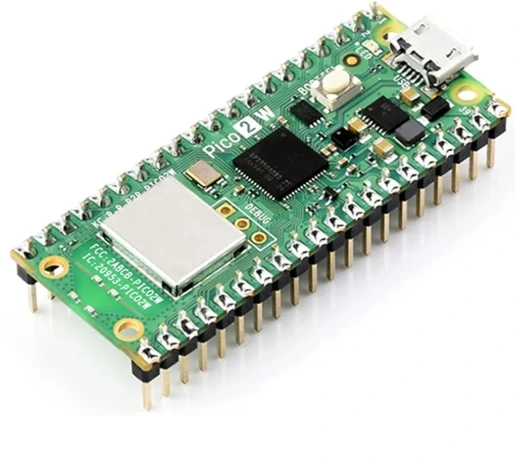
Raspberry Pi Pico W
Raspberry Pi
Raspberry Pi Pico W is a wireless microcontroller board based on the RP2040. With dual-core processing, 26 GPIO pins, 2 MB flash, 2.4 GHz Wi-Fi and Bluetooth 5.2, it is suitable for IoT, automation, wireless sensors, dashboards and embedded projects.
Specifications
| Microcontroller | Raspberry Pi RP2040 |
|---|---|
| CPU | Dual-core Arm Cortex-M0+ |
| Maximum clock speed | 133 MHz |
| SRAM | 264 KB |
| Flash memory | 2 MB |
| GPIO | 26 multifunction GPIO |
| ADC | 3 × 12-bit ADC inputs |
| PWM | 16 channels |
| SPI | 2 |
| I2C | 2 |
| UART | 2 |
| PIO | 8 state machines |
| Wi-Fi | 2.4 GHz 802.11n |
| Bluetooth | Bluetooth 5.2 |
| USB | USB 1.1 |
| Board dimensions | 21 × 51 mm |
| Programming | MicroPython, C and C++ |
Some links on this page are affiliate links. If you purchase through them, Embedded Nerd may earn a small commission at no additional cost to you. This helps support the website and allows us to continue creating free tutorials and guides. Thank you for your support!
Resources
Official Raspberry Pi documentation for the Pico W and Pico-series microcontrollers.
Official technical documentation and specifications for Raspberry Pi Pico W.
Official Raspberry Pi Pico SDK for C and C++ development.
MicroPython documentation and resources for Raspberry Pi Pico boards.
You May Also Like

Introduction
The Raspberry Pi Pico W is a compact wireless microcontroller board based on the Raspberry Pi RP2040 microcontroller.
It combines the RP2040’s dual-core processing, flexible GPIO and programmable I/O capabilities with built-in 2.4 GHz Wi-Fi and Bluetooth 5.2 connectivity.
This makes the Pico W particularly useful for IoT devices, wireless sensors, home automation, remote control projects, dashboards and embedded applications where a full Raspberry Pi computer running Linux would not be necessary.
Unlike a traditional Raspberry Pi computer, the Pico W is a microcontroller board. It executes firmware directly and can start almost immediately after power is applied, making it well suited to hardware-control applications.
Key Features
- Raspberry Pi RP2040 microcontroller
- Dual-core Arm Cortex-M0+ processor
- Up to 133 MHz clock speed
- 264 KB SRAM
- 2 MB on-board flash memory
- 26 multifunction GPIO pins
- 3 × 12-bit ADC inputs
- 16 PWM channels
- 2 × SPI interfaces
- 2 × I2C interfaces
- 2 × UART interfaces
- 8 programmable PIO state machines
- 2.4 GHz 802.11n Wi-Fi
- Bluetooth 5.2
- Bluetooth Low Energy support
- USB 1.1
- SWD debugging interface
- On-board wireless antenna
- MicroPython, C and C++ support
- Compact 21 × 51 mm board
Applications
The Raspberry Pi Pico W is suitable for applications such as:
- IoT devices
- Wireless sensors
- Home automation
- Remote monitoring
- Wi-Fi data logging
- MQTT devices
- Web servers
- Wireless control systems
- Robotics
- Sensor dashboards
- Portable instruments
- Embedded control panels
- Bluetooth projects
- Educational electronics
- Maker projects
GPIO and Pinout
The Raspberry Pi Pico W provides 26 multifunction GPIO pins.
These pins can be configured for digital input and output as well as several peripheral functions.
Common interfaces include:
| Interface | Available |
|---|---|
| GPIO | 26 |
| ADC | 3 × 12-bit |
| PWM | 16 channels |
| SPI | 2 |
| I2C | 2 |
| UART | 2 |
| PIO | 8 state machines |
The GPIO pins can therefore be used to connect sensors, displays, buttons, LEDs, motors and other electronic modules.
The exact GPIO assignment for peripherals can be configured in software, which gives the Pico W considerable flexibility when designing a project.
How It Works
The Pico W runs firmware stored in its external flash memory.
When powered on, the RP2040 starts executing the installed firmware and can immediately begin reading sensors, controlling GPIO pins, communicating with peripherals or connecting to a wireless network.
This differs from a Linux-based Raspberry Pi computer, where an operating system normally needs to boot before applications can run.
The microcontroller architecture makes the Pico W particularly useful for dedicated embedded devices where predictable hardware control and fast startup are important.
RP2040 Microcontroller
At the heart of the Pico W is the RP2040, Raspberry Pi’s dual-core microcontroller.
The RP2040 uses two Arm Cortex-M0+ cores and can operate at up to 133 MHz.
It includes:
- 264 KB SRAM
- 30 multifunction GPIO on the RP2040 itself
- Multiple SPI, I2C and UART peripherals
- 12-bit ADC
- Programmable I/O (PIO)
- DMA controllers
- Timers and PWM hardware
On the Pico W board, 26 GPIO pins are exposed for general use.
Programmable I/O
One of the distinctive features of the RP2040 is its Programmable I/O (PIO) system.
The Pico W provides eight PIO state machines across its two PIO blocks.
PIO can be used to implement custom digital interfaces and timing-sensitive protocols without requiring the CPU to handle every individual signal transition.
This can be useful for applications involving:
- Custom communication protocols
- LED protocols
- Parallel interfaces
- Precise digital timing
- Specialized peripherals
PIO is one of the features that distinguishes the RP2040 platform from many other low-cost microcontrollers.
Wi-Fi Connectivity
The main feature that distinguishes the Pico W from the original Raspberry Pi Pico is its built-in wireless connectivity.
The Pico W supports 2.4 GHz 802.11n Wi-Fi.
This allows the board to communicate with a local network or Internet-connected services without requiring an external Wi-Fi module.
Typical applications include:
- Sending sensor measurements to a server
- Hosting a local web interface
- MQTT communication
- REST API communication
- Remote device control
- Network-connected data logging
For many IoT projects, this can significantly reduce the number of external components required.
Bluetooth 5.2
The Pico W also supports Bluetooth 5.2, including Bluetooth Low Energy capabilities.
Bluetooth can be useful for short-range communication between the Pico W and other devices.
Possible applications include:
- Smartphone connectivity
- Wireless configuration
- BLE sensors
- Short-range control
- Device provisioning
The exact Bluetooth functionality available depends on the software stack and application being used.
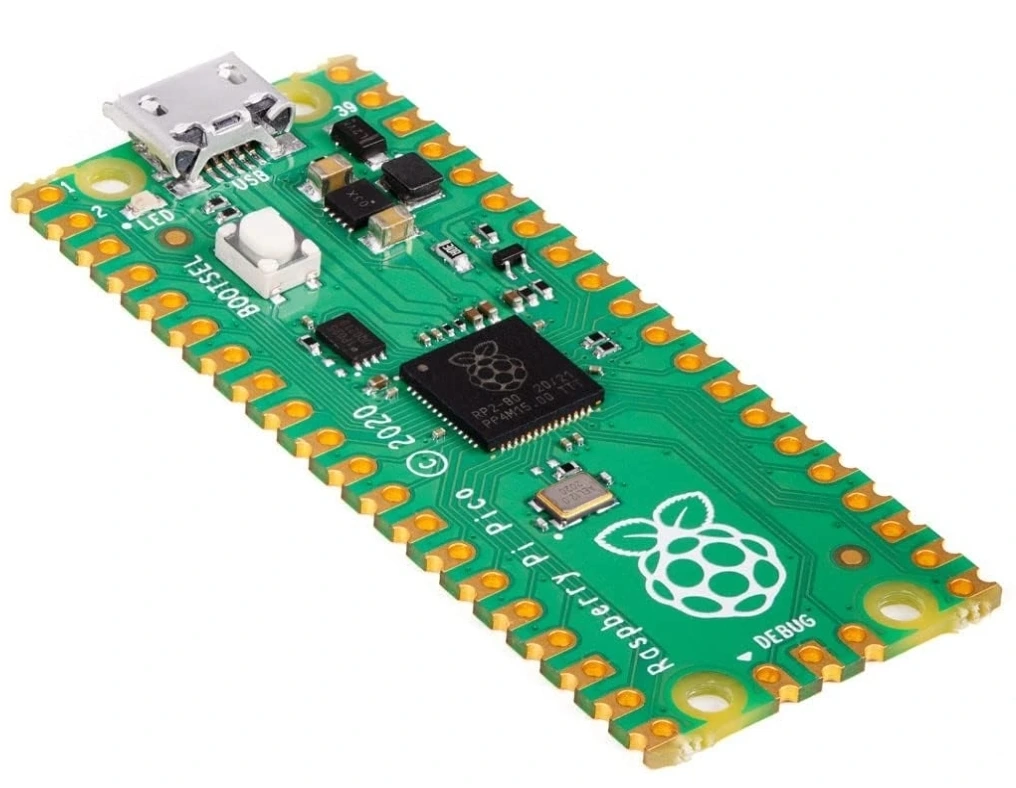
Raspberry Pi Pico W vs Raspberry Pi Pico
The Pico W is closely related to the original Raspberry Pi Pico.
The most important difference is wireless connectivity.
| Feature | Raspberry Pi Pico | Raspberry Pi Pico W |
|---|---|---|
| RP2040 | Yes | Yes |
| Dual-core CPU | Yes | Yes |
| Maximum clock | 133 MHz | 133 MHz |
| SRAM | 264 KB | 264 KB |
| Flash | 2 MB | 2 MB |
| GPIO | 26 exposed | 26 exposed |
| Wi-Fi | No | 2.4 GHz 802.11n |
| Bluetooth | No | Bluetooth 5.2 |
| USB | USB 1.1 | USB 1.1 |
| PIO | Yes | Yes |
| Board size | 21 × 51 mm | 21 × 51 mm |
If a project does not need wireless connectivity, the original Pico can be sufficient.
If the project needs Wi-Fi or Bluetooth, the Pico W provides these capabilities without an external wireless module.
Raspberry Pi Pico W vs ESP32
The Pico W and ESP32 are both popular wireless microcontroller platforms.
| Feature | Raspberry Pi Pico W | ESP32 |
|---|---|---|
| Main MCU | RP2040 | ESP32 family |
| CPU architecture | Dual Cortex-M0+ | Varies by model |
| Wi-Fi | 2.4 GHz 802.11n | 2.4 GHz Wi-Fi |
| Bluetooth | 5.2 | Depends on model |
| GPIO | 26 exposed | Depends on model |
| ADC | 3 × 12-bit | Depends on model |
| PIO | 8 state machines | No direct equivalent |
| Programming | MicroPython, C, C++ | Arduino, ESP-IDF, MicroPython and others |
| Ecosystem | Raspberry Pi / RP2040 | ESP32 ecosystem |
The best choice depends on the project.
The Pico W is particularly attractive when the RP2040’s PIO system, simple development workflow and Raspberry Pi ecosystem are useful.
ESP32 boards can be preferable when a specific ESP32 variant provides peripherals or features required by the project.
Raspberry Pi Pico W Programming
The Pico W can be programmed using several development environments.
MicroPython
MicroPython is one of the easiest ways to start developing with the Pico W.
It allows Python-like code to control GPIO, read sensors, communicate with peripherals and connect to Wi-Fi.
This makes it particularly useful for:
- Prototyping
- Education
- Sensor projects
- IoT experiments
- Quick hardware development
C and C++
For more demanding applications, the Raspberry Pi Pico SDK provides C and C++ development support.
This approach gives developers greater control over performance, memory and low-level hardware functionality.
The official Pico SDK can be used with development environments such as Visual Studio Code and command-line build systems.
USB Programming
The Pico W includes a USB 1.1 interface.
USB can be used for:
- Power
- Programming
- Serial communication
- Debugging and development
The board can enter its USB bootloader mode so that firmware can be transferred to the device.
This makes firmware updates straightforward during development.
Raspberry Pi Pico W Projects
The Pico W can be used with many of the sensors and modules commonly used in embedded projects.
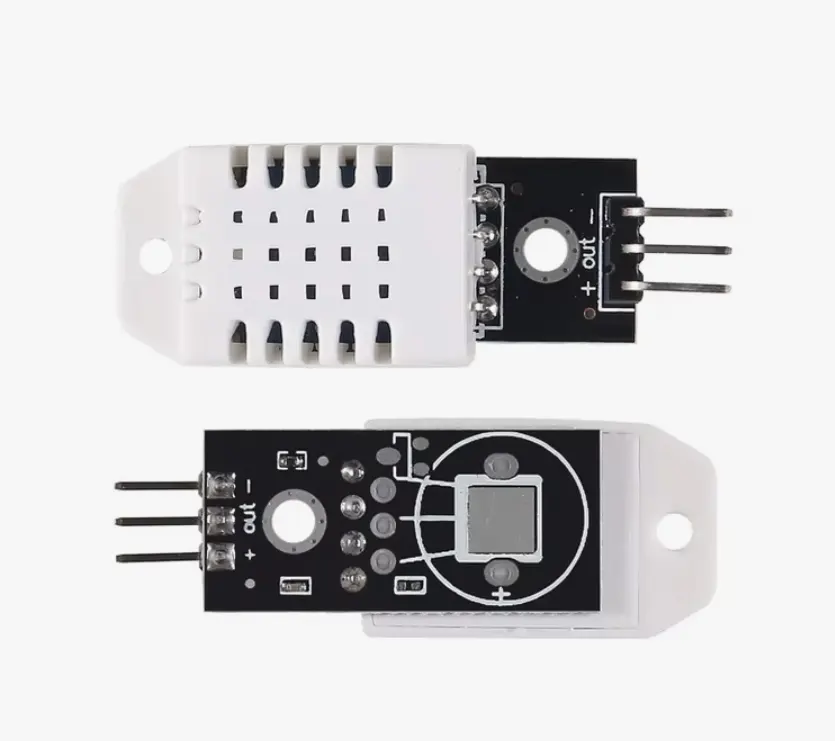
Wireless Temperature and Humidity Monitor
Combine the Pico W with a DHT22 to create a wireless environmental monitor.
The Pico W can read temperature and humidity and publish the measurements to a web server, MQTT broker or another device.
Wireless Motion Sensor
A PIR motion sensor can be connected to the Pico W to detect movement.
The Pico W can then send an event through Wi-Fi or trigger another connected device.
Wi-Fi OLED Dashboard
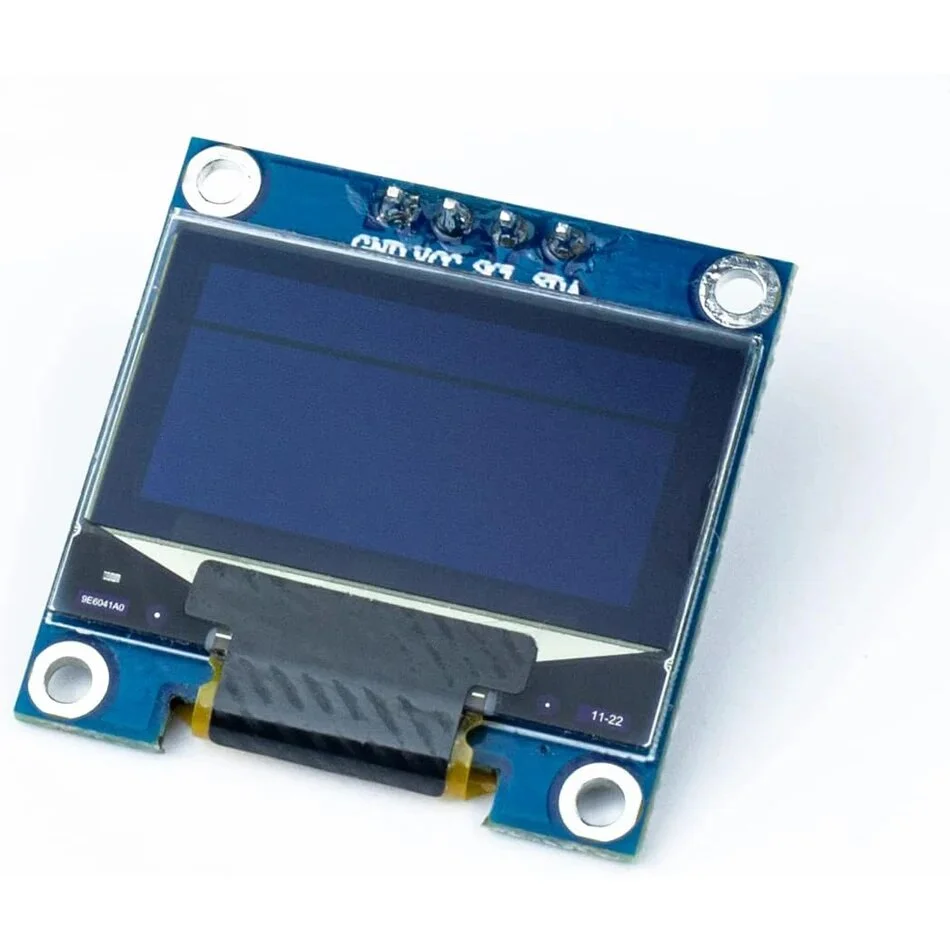
Pair the Pico W with an SSD1306 OLED display to create a local dashboard.
The board can retrieve information from a network service and display the results locally.
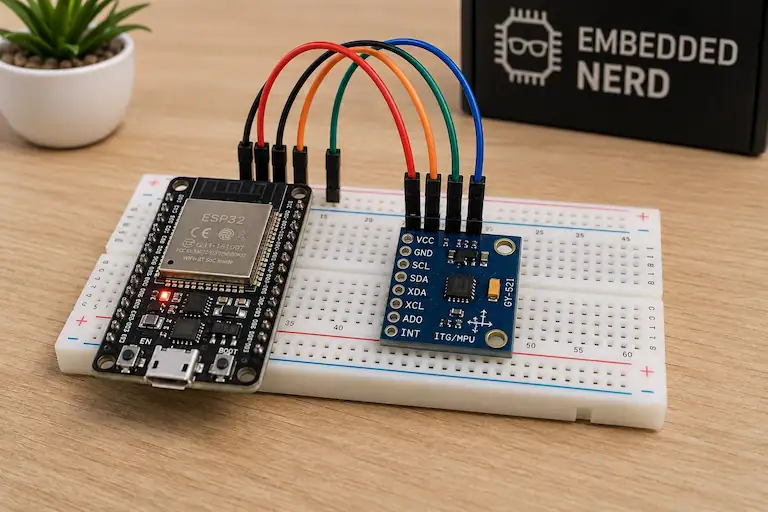
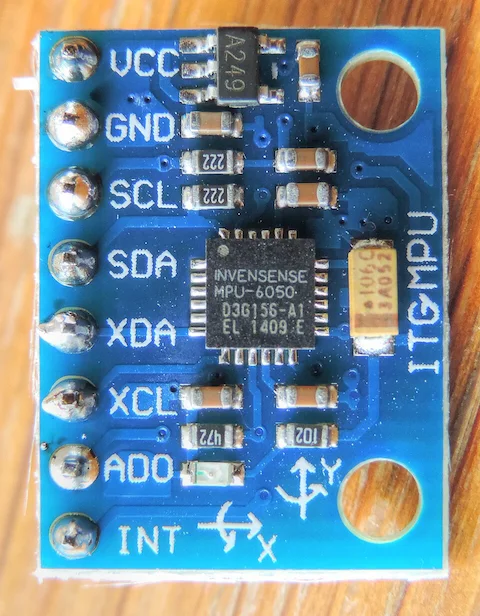
Wireless MPU6050 Device
An MPU6050 can provide accelerometer and gyroscope data while the Pico W sends measurements wirelessly.
This can be useful for motion tracking, robotics and remote sensor projects.
Web-Controlled Hardware
The Pico W can host a simple web interface that allows a phone or computer on the same network to control connected hardware.
Possible outputs include:
- LEDs
- Relays
- Servos
- Motors
- Buzzers
Power
The Pico W can be powered through its USB connection or through the board’s power input pins using an appropriate supply.
When designing a project, the power requirements of external sensors and modules must also be considered.
Wireless transmission can increase power consumption compared with a microcontroller operating without its radio enabled.
For battery-powered applications, power-management techniques and appropriate sleep modes should therefore be considered.
Advantages of Raspberry Pi Pico W
The Pico W offers several practical advantages:
- Built-in Wi-Fi
- Built-in Bluetooth 5.2
- Powerful RP2040 dual-core MCU
- 26 exposed GPIO
- Flexible peripheral configuration
- Programmable I/O
- MicroPython support
- C and C++ support
- Small physical size
- Large Raspberry Pi community
- Low-cost platform for connected embedded projects
Limitations
The Pico W is a microcontroller rather than a Linux computer.
It does not provide:
- A desktop operating system
- HDMI output
- USB host functionality comparable to a Raspberry Pi computer
- The processing resources of a Raspberry Pi SBC
It is therefore better suited to dedicated embedded applications than applications requiring a full operating system.
The Pico W also has limited RAM compared with Raspberry Pi computers, so large graphical applications or complex software should be designed with the available memory in mind.
Raspberry Pi Pico W and IoT
The Pico W is particularly well suited to IoT applications because wireless connectivity is integrated directly into the board.
A typical IoT device can use the Pico W to:
- Read data from sensors.
- Process the measurements locally.
- Connect to a Wi-Fi network.
- Send the data to a server or cloud service.
- Receive commands remotely.
- Control connected hardware.
This allows the Pico W to act as the main controller in compact connected devices.
Frequently Asked Questions
What is Raspberry Pi Pico W?
Raspberry Pi Pico W is a wireless microcontroller board based on the RP2040. It provides 26 exposed GPIO pins together with built-in 2.4 GHz Wi-Fi and Bluetooth 5.2.
Does Raspberry Pi Pico W have Wi-Fi?
Yes. The Pico W includes 2.4 GHz 802.11n Wi-Fi.
Does Raspberry Pi Pico W have Bluetooth?
Yes. The Pico W supports Bluetooth 5.2, including Bluetooth Low Energy functionality.
What processor does the Pico W use?
The Pico W uses the Raspberry Pi RP2040, a dual-core Arm Cortex-M0+ microcontroller running at up to 133 MHz.
How much RAM does the Raspberry Pi Pico W have?
The RP2040 provides 264 KB of SRAM.
How much flash does the Pico W have?
The Raspberry Pi Pico W includes 2 MB of on-board flash memory.
How many GPIO pins does the Pico W have?
The Pico W exposes 26 multifunction GPIO pins.
Can Raspberry Pi Pico W run MicroPython?
Yes. MicroPython is officially supported and is a popular way to develop Pico W projects.
Can Raspberry Pi Pico W be programmed in C++?
Yes. The Raspberry Pi Pico SDK provides C and C++ development support.
Is Raspberry Pi Pico W a computer?
No. The Pico W is a microcontroller board. It does not run a general-purpose Linux operating system like Raspberry Pi single-board computers.
Can Pico W connect to the Internet?
Yes. Using its built-in Wi-Fi connection, the Pico W can communicate with Internet services when connected to a suitable network.
Is Pico W good for IoT projects?
Yes. Its built-in Wi-Fi and Bluetooth make it particularly suitable for connected sensors, automation, remote monitoring and other IoT applications.
What is the difference between Pico and Pico W?
The main difference is wireless connectivity. The Pico W adds 2.4 GHz Wi-Fi and Bluetooth 5.2 while retaining the core RP2040 architecture of the original Pico.
Documentation
The official Raspberry Pi documentation should be used when checking the latest hardware and software details for the Pico W.
The Raspberry Pi Pico SDK is useful for C and C++ development, while MicroPython provides a convenient environment for Python-based embedded projects.
When designing a project, always check the official documentation for the exact electrical characteristics, pin functions and software support required by the application.
Related Products
The Raspberry Pi Pico W can be combined with many components in the Embedded Nerd catalog.
Summary
The Raspberry Pi Pico W combines the flexibility of the RP2040 microcontroller with built-in Wi-Fi and Bluetooth 5.2 connectivity.
Its dual-core processor, 264 KB SRAM, 2 MB flash, 26 GPIO pins, programmable I/O and broad peripheral support make it a capable platform for embedded development.
For wireless sensors, IoT devices, automation, dashboards and remote-control projects, the Pico W provides a compact alternative to using a separate microcontroller and wireless module.
Its support for MicroPython, C and C++, together with the Raspberry Pi ecosystem, also makes it accessible to beginners while providing enough flexibility for more advanced embedded projects.