BMA400 vs MPU6050: Which Motion Sensor Should You Buy?
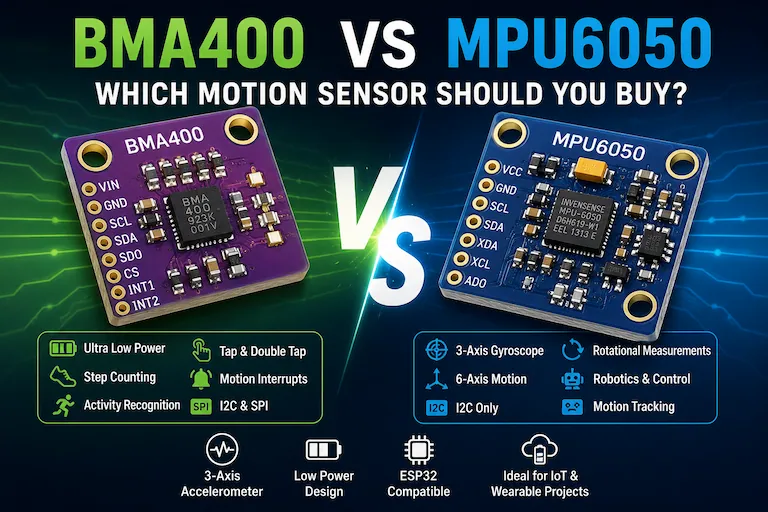
The BMA400 and MPU6050 are both popular motion sensors for Arduino and ESP32 projects, but they are designed for different priorities.
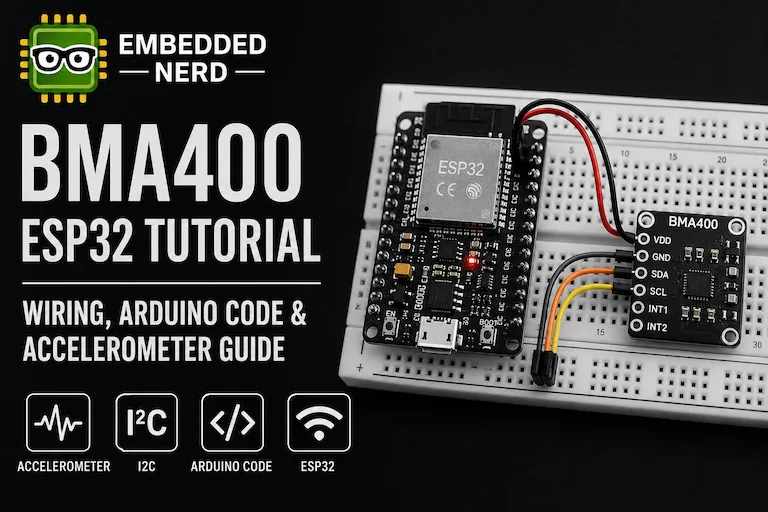
The BMA400 is a 3-axis accelerometer designed around ultra-low-power operation and built-in motion features such as step counting, activity recognition, orientation detection and tap detection.
The MPU6050 combines a 3-axis accelerometer with a 3-axis gyroscope, making it the better choice when a project needs to measure both linear acceleration and rotational movement.
So, which sensor should you buy?
Choose the BMA400 if your project needs low-power acceleration sensing, motion detection, step counting or long battery life.
Choose the MPU6050 if your project needs a gyroscope, rotational measurements or 6-axis motion data.
Neither sensor is universally better.
The right choice depends on what your project actually needs.
This guide compares the BMA400 and MPU6050 from both a technical and practical perspective, including power consumption, motion features, ESP32 compatibility, calibration, interfaces, libraries and the types of projects where each sensor makes the most sense.
If you want to work with either sensor after making your decision, these Embedded Nerd guides cover them in more detail:
- BMA400 ESP32 Tutorial: Wiring, Code & Arduino Guide
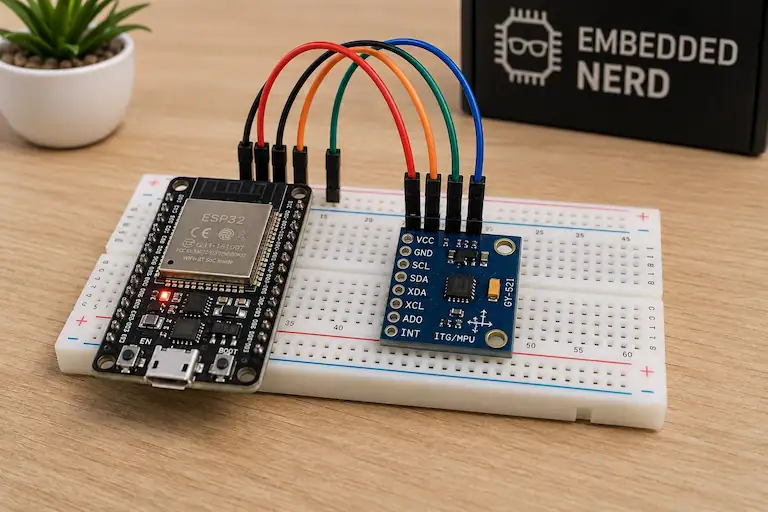
- MPU6050 Arduino Guide
- MPU6050 Calibration Guide: How to Calibrate Accelerometer & Gyroscope
Quick Answer: BMA400 or MPU6050?
| If your project needs… | Better choice |
|---|---|
| 3-axis acceleration only | BMA400 |
| A gyroscope | MPU6050 |
| Rotational measurements | MPU6050 |
| Very low power consumption | BMA400 |
| Battery-powered motion sensing | BMA400 |
| Step counting | BMA400 |
| Tap or double-tap detection | BMA400 |
| Built-in activity recognition | BMA400 |
| Wake-on-motion applications | BMA400 |
| Robotics with rotational movement | MPU6050 |
| 6-axis motion data | MPU6050 |
| A large ecosystem of tutorials and examples | MPU6050 |
| SPI communication | BMA400 |
The biggest difference is simple:
The BMA400 is a low-power 3-axis accelerometer with extensive built-in motion features.
The MPU6050 is a 6-axis motion sensor combining a 3-axis accelerometer and a 3-axis gyroscope.
That difference should drive most purchasing decisions.
BMA400 vs MPU6050: Technical Comparison
| Feature | BMA400 | MPU6050 |
|---|---|---|
| Sensor type | 3-axis accelerometer | 6-axis IMU |
| Accelerometer | Yes | Yes |
| Gyroscope | No | Yes |
| Accelerometer axes | 3 | 3 |
| Gyroscope axes | — | 3 |
| Accelerometer range | ±2 / ±4 / ±8 / ±16 g | ±2 / ±4 / ±8 / ±16 g |
| Accelerometer output resolution | 12-bit | 16-bit |
| Gyroscope range | — | ±250 / ±500 / ±1000 / ±2000 °/s |
| Low-power focus | Very strong | More limited |
| Built-in step counter | Yes | No dedicated equivalent |
| Activity recognition | Yes | No equivalent built-in classifier |
| Single / double tap | Yes | Requires application-level processing |
| Motion interrupts | Yes | Yes |
| FIFO | 1 KB | Yes |
| I2C | Yes | Yes |
| SPI | Yes | No |
| ESP32 compatibility | Yes | Yes |
| Best for | Low-power motion sensing | Acceleration + rotation |
The BMA400 and MPU6050 overlap because both can measure acceleration.
However, they solve different problems.
If you only need acceleration and motion events, the BMA400 provides features that can make the entire system simpler and more power efficient.
If you need to measure how fast something rotates, the MPU6050 is the clear choice because the BMA400 does not contain a gyroscope.
Accelerometer Comparison
Both sensors include a 3-axis accelerometer.
Both support these selectable ranges:
- ±2 g
- ±4 g
- ±8 g
- ±16 g
This makes both suitable for a wide range of projects, from relatively small movements to higher acceleration events.
BMA400 Accelerometer
The BMA400 provides 12-bit acceleration data.
Its main strength is not simply raw output resolution. It is designed to combine acceleration sensing with ultra-low-power operation and embedded motion features.
This makes it particularly useful when the sensor needs to remain active for long periods without keeping the microcontroller fully awake.
MPU6050 Accelerometer
The MPU6050 provides 16-bit accelerometer output.
This gives the application more raw digital resolution, but resolution alone does not determine the practical quality of a measurement.
Real-world results are also affected by:
- sensor bias;
- noise;
- selected measurement range;
- calibration;
- filtering;
- sensor mounting;
- the quality of the breakout board.
The MPU6050 also has the advantage of providing gyroscope data alongside the accelerometer.
Which Accelerometer Is Better?
If you only compare output resolution, the MPU6050 has the higher-resolution accelerometer.
But that does not mean it is automatically the better choice for every acceleration project.
Choose the MPU6050 when you need its accelerometer together with rotational data.
Choose the BMA400 when low-power acceleration sensing and built-in motion features are more important.
The Gyroscope: The MPU6050’s Biggest Advantage
The MPU6050 includes a 3-axis gyroscope.
The gyroscope measures angular velocity around three axes.
The selectable ranges are:
- ±250 °/s
- ±500 °/s
- ±1000 °/s
- ±2000 °/s
This is important for projects such as:
- robotics;
- motion controllers;
- gesture tracking;
- orientation estimation;
- stabilization;
- balancing systems;
- projects involving continuous rotational movement.
The BMA400 does not include a gyroscope.
An accelerometer can estimate tilt relative to gravity under suitable conditions, especially when the sensor is stationary or moving slowly. However, an accelerometer alone cannot provide the same angular velocity information as a gyroscope.
Choose the MPU6050 if you need:
- angular velocity;
- rotational movement;
- 6-axis sensor data;
- accelerometer and gyroscope measurements from the same sensor.
For these applications, the MPU6050 is the more suitable sensor.
Power Consumption and Low-Power Operation
Low-power operation is one of the strongest reasons to choose the BMA400.
The BMA400 was designed for applications where the sensor may need to remain active continuously while consuming very little power.
It supports low-power operating modes and embedded motion functions that allow the sensor to monitor activity without requiring the host microcontroller to process acceleration data continuously.
This is especially useful when an ESP32 or another microcontroller spends most of its time sleeping.
A Typical Low-Power Workflow
A battery-powered device could work like this:
- Configure the BMA400 to detect motion or another event.
- Put the ESP32 into a low-power state.
- Wait for an interrupt from the BMA400.
- Wake the ESP32.
- Process the event.
- Send data using Wi-Fi or Bluetooth if required.
- Return to a low-power state.
This approach can be much more efficient than continuously reading sensor values in a loop.
What About the MPU6050?
The MPU6050 also provides motion detection and interrupt capabilities, and it can be configured to reduce power consumption.
However, ultra-low-power always-on motion sensing is not its primary advantage in the same way it is for the BMA400.
If your project does not need a gyroscope, using a sensor that includes one may add unnecessary functionality to the design.
Important: Sensor Power vs Breakout Board Power
This distinction matters when comparing inexpensive sensor modules.
The current consumption listed in a sensor datasheet refers to the sensor IC under specific operating conditions.
A breakout board may also include:
- a voltage regulator;
- level-shifting circuitry;
- pull-up resistors;
- power LEDs;
- other components.
These components can affect the total power consumption of the finished module.
So an ultra-low-power sensor does not automatically guarantee that every breakout board based on that sensor will deliver the same system-level battery life.
If power consumption is critical, check the specifications of the exact module you plan to buy.
Winner for Battery Projects: BMA400
For long-running, battery-powered motion sensing, the BMA400 is the stronger choice.
Motion Detection and Interrupts
Both sensors can detect motion and generate interrupts.
The difference is how much motion processing can be handled inside the sensor itself.
BMA400 Motion Features
The BMA400 includes a range of embedded features, including:
- activity and inactivity detection;
- orientation detection;
- single-tap detection;
- double-tap detection;
- step counting;
- activity recognition;
- programmable interrupts;
- automatic wake-up;
- automatic low-power operation.
These features make the BMA400 particularly suitable for event-driven systems.
Instead of continuously reading X, Y and Z acceleration values and processing them in software, the microcontroller can wait for an interrupt when something important happens.
MPU6050 Motion Detection
The MPU6050 can also detect motion and generate interrupts.
It is especially useful when motion detection needs to be combined with gyroscope measurements.
However, it does not provide the same set of dedicated low-power motion features as the BMA400, particularly for applications such as integrated step counting and activity recognition.
Winner for Embedded Motion Features: BMA400
If your application is primarily about detecting events rather than continuously processing raw motion data, the BMA400 has a clear advantage.
Step Counting
The BMA400 includes an integrated step counter.
This makes it useful for:
- pedometers;
- activity trackers;
- wearables;
- battery-powered fitness devices.
The sensor can perform step-related processing internally instead of requiring the ESP32 or Arduino to continuously run a step-detection algorithm.
This can reduce:
- microcontroller processing;
- software complexity;
- system power consumption.
The MPU6050 can certainly be used in a step-counting project.
However, the application normally needs to process the sensor data and implement the step-detection logic itself or use a separate software solution.
That is an important distinction.
Both sensors can contribute to a step-counting application, but the BMA400 includes dedicated hardware functionality specifically intended for this type of use.
Winner: BMA400
Tap and Double-Tap Detection
The BMA400 supports dedicated single- and double-tap detection.
This can be useful for:
- wearable controls;
- tapping a device enclosure as an input;
- wake-up interactions;
- simple gesture interfaces.
The MPU6050 can detect acceleration changes caused by a tap or impact, but identifying a reliable tap or double-tap pattern requires additional application-level processing.
Winner: BMA400
Activity Recognition
The BMA400 can provide built-in activity recognition for states such as:
- walking;
- running;
- standing still.
This can simplify wearable and activity-monitoring projects because the sensor performs part of the classification internally.
The MPU6050 provides raw accelerometer and gyroscope information that can be used to build custom activity classification systems, but it does not provide the same ready-to-use embedded activity recognition approach.
BMA400 Advantage
Choose the BMA400 when you want:
- lower software complexity;
- lower power consumption;
- built-in recognition of common activity states.
MPU6050 Advantage
Choose the MPU6050 when you want to create a more customised system using both:
- acceleration data;
- rotational data.
Winner: Depends on the Project
I2C and SPI Support
Both sensors can communicate with Arduino and ESP32 boards using I2C.
BMA400
The BMA400 supports:
- I2C;
- SPI.
This provides more flexibility when designing a system.
SPI can be useful when:
- I2C is already heavily used;
- you prefer SPI in the rest of the design;
- the hardware architecture requires a different bus arrangement.
MPU6050
The MPU6050 communicates with the host through I2C.
For most Arduino and ESP32 projects, this is simple and convenient because I2C is widely supported.
Winner for Interface Flexibility: BMA400
If SPI is important for your project, choose the BMA400.
For a standard I2C project, both sensors are straightforward to use.
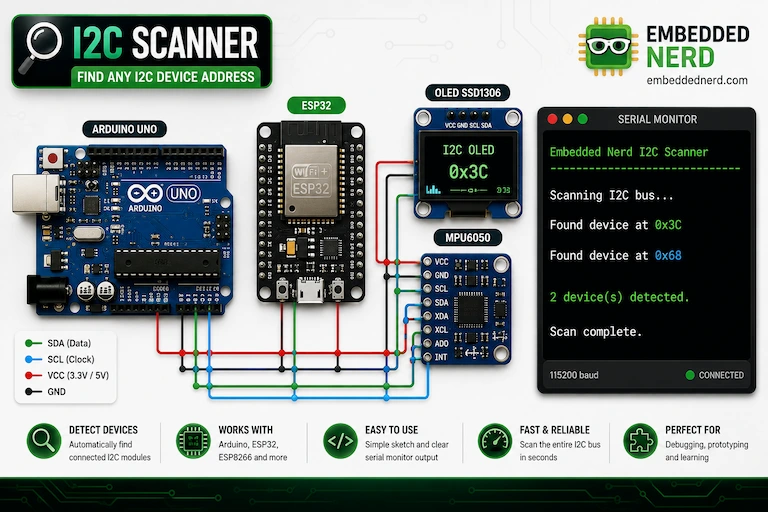
I2C Addresses
The two sensors use different I2C addresses.
Typical configurations are:
| Sensor | Possible I2C address |
|---|---|
| BMA400 | 0x14 or 0x15 |
| MPU6050 | 0x68 or 0x69 |
The exact address depends on the sensor configuration and the breakout board.
Because the addresses are different, a BMA400 and MPU6050 can potentially share the same I2C bus without an address conflict.
For example:
| Device | Address |
|---|---|
| BMA400 | 0x14 |
| MPU6050 | 0x68 |
| SSD1306 OLED | 0x3C |
You can also use the I2C Address Lookup & Compatibility Checker to check common I2C addresses and possible conflicts.
Remember that address compatibility does not guarantee complete electrical compatibility.
You should also check:
- operating voltage;
- logic voltage;
- pull-up resistors;
- the specifications of the exact breakout boards.
BMA400 vs MPU6050 with ESP32
Both sensors are compatible with the ESP32.
For a typical ESP32 DevKit, common I2C pins are:
| ESP32 Pin | Function |
|---|---|
| GPIO 21 | SDA |
| GPIO 22 | SCL |
The pins can also be changed in software depending on the ESP32 board and project.
BMA400 + ESP32
The BMA400 is particularly useful for ESP32 projects involving:
- deep sleep;
- battery operation;
- wake-on-motion;
- step counting;
- activity detection;
- interrupt-driven systems;
- low-power IoT devices.
For wiring, library installation and code, see the BMA400 ESP32 Tutorial: Wiring, Code & Arduino Guide.
MPU6050 + ESP32
The MPU6050 is a good choice for ESP32 projects involving:
- robotics;
- motion controllers;
- orientation sensing;
- gesture control;
- rotational measurement;
- 6-axis motion tracking.
The MPU6050 guide explains the sensor fundamentals, while the MPU6050 Calibration Guide covers accelerometer and gyroscope offsets.
Which Is Better for ESP32?
Neither sensor is universally better.
Choose:
- BMA400 for low-power and event-driven ESP32 projects
- MPU6050 for acceleration plus rotational sensing
Libraries and Ease of Use
The MPU6050 has a major advantage in popularity.
It has been used in Arduino projects for many years, resulting in a large ecosystem of:
- tutorials;
- libraries;
- example projects;
- calibration guides;
- robotics projects;
- motion-control examples.
This can make the MPU6050 particularly attractive for beginners.
The BMA400 also has Arduino-compatible software support and manufacturer-supported libraries, but its ecosystem is smaller.
Chip Features vs Library Features
This is an important point when comparing these sensors.
A feature listed in the datasheet is a capability of the sensor IC.
That does not guarantee that every Arduino library exposes that feature through a simple function.
For example, a library may support:
- sensor initialization;
- acceleration readings;
- measurement range selection;
while advanced functionality may require:
- additional configuration;
- interrupt setup;
- direct register access;
- a different library version.
The same principle applies to breakout boards.
A breakout board may include:
- voltage regulation;
- pull-up resistors;
- level shifting;
- additional pins.
These are board-level features, not necessarily features of the sensor IC itself.
Always distinguish between:
- what the sensor chip can do;
- what the breakout board provides;
- what the selected software library exposes.
This is particularly important for advanced BMA400 features such as step counting, activity recognition and interrupts.
Calibration: BMA400 vs MPU6050
Both sensors can have measurement offsets, but the calibration requirements are different.
MPU6050 Calibration
The MPU6050 contains both:
- a 3-axis accelerometer;
- a 3-axis gyroscope.
Both can have offsets that affect measurements.
These offsets can matter for:
- tilt estimation;
- orientation calculations;
- rotational measurements;
- motion processing.
Our MPU6050 Calibration Guide: How to Calibrate Accelerometer & Gyroscope explains how to collect sensor samples, calculate offsets and verify the results.
BMA400 Calibration
The BMA400 is an accelerometer only.
Projects requiring accurate acceleration measurements may still need to account for:
- sensor offset;
- mounting orientation;
- measurement range;
- noise;
- application-specific accuracy requirements.
However, there is no gyroscope to calibrate.
For applications such as motion detection or tap detection, sensor configuration and interrupt thresholds may be more important than achieving highly accurate continuous acceleration measurements.
Which Is Easier to Calibrate?
The BMA400 has fewer measurement axes and no gyroscope, so calibration is generally simpler.
The MPU6050 requires more attention when an application depends on accurate accelerometer and gyroscope data.
Winner for Simplicity: BMA400
Winner for More Complete Motion Data: MPU6050
BMA400 vs MPU6050 for Battery-Powered Projects
If your project runs from:
- a coin cell;
- a small LiPo battery;
- a rechargeable battery;
- another limited power source;
the BMA400 deserves serious consideration.
Its low-power operation and embedded motion functions are particularly useful when the rest of the system should remain asleep for most of the time.
Typical applications include:
- wireless sensors;
- asset trackers;
- wearables;
- smart home sensors;
- security devices;
- motion-triggered IoT systems.
The MPU6050 can also be used in battery-powered projects.
However, if the project does not need rotational data, the additional gyroscope may provide functionality that is never used.
Winner for Battery Life: BMA400
When Should You Choose the BMA400?
Buy the BMA400 if your project mainly needs acceleration and you want the system to be efficient.
The BMA400 is particularly suitable for:
Battery-Powered Motion Sensors
Examples:
- door or object movement detection;
- package movement detection;
- security sensors;
- wireless IoT nodes.
Wearable Electronics
The BMA400 is a strong option for:
- step counters;
- activity trackers;
- wearable controls;
- low-power motion monitoring.
Wake-on-Motion Projects
The sensor can detect an event and notify the microcontroller through an interrupt.
This is useful when the main processor should remain asleep until movement occurs.
Tap-Controlled Devices
Single- and double-tap detection can simplify projects that use physical interaction as an input method.
Projects That Need SPI
The BMA400 provides SPI support in addition to I2C.
When Should You Choose the MPU6050?
Buy the MPU6050 when your project needs rotational information.
It is particularly suitable for:
Robotics
Robots often need to measure:
- acceleration;
- rotation;
- angular movement.
The MPU6050 provides both accelerometer and gyroscope data.
Motion Controllers
The gyroscope can be useful for:
- gesture-based controls;
- game controllers;
- motion-controlled interfaces.
Orientation and Rotation Projects
The MPU6050 is more appropriate when the application needs continuous information about how the sensor is rotating.
Projects with Strong Community Support
The MPU6050 has a very large ecosystem of examples and tutorials.
This can make it easier to find solutions to common problems.
Projects That Need Both Sensors in One Device
If you know your project requires both:
- an accelerometer;
- a gyroscope;
the MPU6050 provides both in a single sensor.
Recommended Products
| Component | Recommended Product | Buy |
|---|---|---|
| BMA400 Accelerometer Module | BMA400 Accelerometer Module | 🛒 AliExpress |
| MPU6050 Accelerometer & Gyroscope | MPU6050 Accelerometer & Gyroscope | 🛒 AliExpress |
Some links on this page are affiliate links. If you purchase through them, Embedded Nerd may earn a small commission at no additional cost to you. This helps support the website and allows us to continue creating free tutorials and guides. Thank you for your support!
When choosing a module, pay particular attention to:
- supply voltage;
- logic compatibility;
- accessible interrupt pins;
- header configuration;
- physical size;
- whether the board adds components that affect low-power operation.
For the BMA400, the breakout board is particularly important because the low-power characteristics of the sensor IC and the total consumption of a complete module are not necessarily the same.
For the MPU6050, check the exact module design before connecting it to a 3.3 V or 5 V system.
Which Sensor Should You Buy?
For most projects, the decision can be reduced to one question:
Do you need a gyroscope?
If the answer is yes, buy the MPU6050.
It provides:
- 3-axis acceleration;
- 3-axis angular velocity;
- 6-axis motion data.
It is the better choice for robotics, rotational movement, orientation work and motion projects that benefit from gyroscope data.
If the answer is no, consider the BMA400 first.
It provides:
- 3-axis acceleration;
- ultra-low-power operation;
- step counting;
- activity recognition;
- tap detection;
- motion interrupts;
- I2C and SPI.
For a battery-powered motion sensor, wearable or event-driven ESP32 project, the BMA400 can be the more appropriate and efficient choice.
Common Project Examples
Project: ESP32 Motion Alarm
Recommended sensor: BMA400
The BMA400 can monitor for motion and trigger an interrupt when movement is detected.
Project: Battery-Powered Step Counter
Recommended sensor: BMA400
The integrated step counter and low-power design make it a natural choice.
Project: Self-Balancing Robot
Recommended sensor: MPU6050
The project needs gyroscope data as well as acceleration.
Project: Motion-Controlled Game
Recommended sensor: MPU6050
The combination of accelerometer and gyroscope measurements provides more complete motion information.
Project: Package Movement Tracker
Recommended sensor: BMA400
The sensor can monitor for movement while keeping the rest of the system in a low-power state.
Project: Simple Tilt Detector
Recommended sensor: BMA400
A gyroscope may not be necessary if the project only needs to detect orientation or acceleration changes.
Related Embedded Nerd Tutorials
If you have decided which sensor is right for your project, these guides are the best next step.
BMA400 ESP32 Tutorial
Learn how to connect the BMA400 to an ESP32, configure I2C communication and read acceleration data.
Read the BMA400 ESP32 Tutorial →
MPU6050 Arduino Guide
Learn how to connect the MPU6050 and read accelerometer and gyroscope data.
Read the MPU6050 Arduino Guide →
MPU6050 Calibration Guide
If your MPU6050 project depends on reliable sensor readings, calibration can help reduce measurement offsets.
Read the MPU6050 Calibration Guide →
I2C Address Lookup & Compatibility Checker
If you plan to connect multiple sensors to the same ESP32 or Arduino I2C bus, use the compatibility checker to look for possible address conflicts.
Check I2C Address Compatibility →
Frequently Asked Questions
Is the BMA400 better than the MPU6050?
Neither sensor is universally better.
The BMA400 is generally better for low-power acceleration sensing, motion detection, step counting and battery-powered applications.
The MPU6050 is better when the project also needs a gyroscope and rotational measurements.
Is the BMA400 an MPU6050 alternative?
The BMA400 can be an alternative if your project only needs acceleration and motion detection.
However, it is not a direct replacement when your project requires gyroscope data because the BMA400 does not contain a gyroscope.
Which sensor is better for an ESP32?
Both work well with the ESP32.
Choose the BMA400 for low-power, interrupt-driven and battery-powered projects.
Choose the MPU6050 for projects that require both acceleration and rotational measurements.
Which sensor is better for battery-powered projects?
The BMA400 is generally the better starting point for battery-powered motion sensing because it was designed around ultra-low-power operation.
However, the actual battery life also depends on the microcontroller, communication method, duty cycle and the design of the breakout board.
Can the BMA400 replace the MPU6050?
Only for projects that do not require gyroscope data.
The BMA400 can replace the MPU6050 in applications focused on acceleration, motion detection, tap detection, step counting or low-power sensing.
It cannot provide the MPU6050’s 3-axis angular velocity measurements.
Does the BMA400 have a gyroscope?
No.
The BMA400 is a 3-axis accelerometer.
If your project needs angular velocity or rotational measurements, choose a sensor with a gyroscope such as the MPU6050.
Does the MPU6050 have step counting?
The MPU6050 does not provide the same dedicated integrated step-counting functionality as the BMA400.
It can still be used in a step-counting project, but the step-detection algorithm generally needs to be implemented in software.
Is the BMA400 easier to use than the MPU6050?
For basic acceleration readings, both are relatively straightforward.
The MPU6050 benefits from a larger ecosystem of tutorials and examples.
The BMA400 can simplify applications that use its built-in motion features, but advanced functions may require more sensor configuration.
Do I need to calibrate the BMA400 or MPU6050?
Calibration depends on the project.
The MPU6050 may benefit from accelerometer and gyroscope offset compensation when accurate motion or orientation measurements are required.
The BMA400 may also need calibration or offset compensation when measurement accuracy is important, although simple event-driven applications may not require the same calibration process.
Can I use the BMA400 and MPU6050 on the same I2C bus?
Yes, provided the selected addresses do not conflict and the electrical requirements are compatible.
The BMA400 commonly uses 0x14 or 0x15, while the MPU6050 commonly uses 0x68 or 0x69.
Conclusion
The BMA400 and MPU6050 are not competing in exactly the same category.
The BMA400 is the better choice when your priority is:
- low power;
- battery life;
- motion detection;
- step counting;
- activity recognition;
- tap detection;
- interrupt-driven projects;
- acceleration-only sensing.
The MPU6050 is the better choice when your project needs:
- a gyroscope;
- rotational measurements;
- 6-axis motion data;
- robotics applications;
- orientation and motion processing.
So, which sensor should you buy for your project?
Buy the BMA400 if you need an efficient, low-power accelerometer with built-in motion intelligence.
Buy the MPU6050 if you need both acceleration and rotational measurements from a single sensor.
The best sensor is not the one with the longest feature list.
It is the one that provides the capabilities your project actually needs without adding unnecessary power consumption, hardware complexity or software processing. ````
Share on
X Facebook LinkedIn Bluesky
Hardware Used in This Project
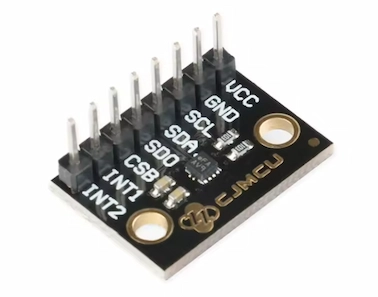
BMA400 Accelerometer Module
BMA400 3-axis ultra-low-power accelerometer module with I2C and SPI communication, motion detection, orientation sensing and step counting.
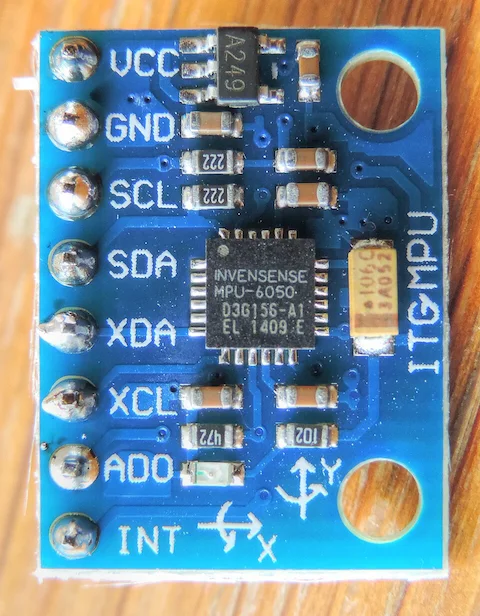
MPU6050 Accelerometer & Gyroscope
MPU6050 6-axis motion sensor combining a 3-axis accelerometer and 3-axis gyroscope with I2C communication.