I2C Address Lookup & Compatibility Checker
I2C Address Lookup & Compatibility Checker
Use this free I2C tool to find common I2C device addresses and check whether multiple devices can share the same I2C bus.
Search for a device such as MPU6050, search for an address such as 0x68, or select several devices to check for I2C address conflicts.
Find an I2C Device
Search by device name, sensor type, manufacturer or hexadecimal I2C address.
Can These Devices Share an I2C Bus?
Select the devices you want to connect and check for address conflicts.
How to Use the I2C Address Lookup
Search by device name, sensor type, manufacturer or hexadecimal address.
Examples:
MPU60500x68SSD1306BMA400
The tool shows the known I2C addresses associated with the device.
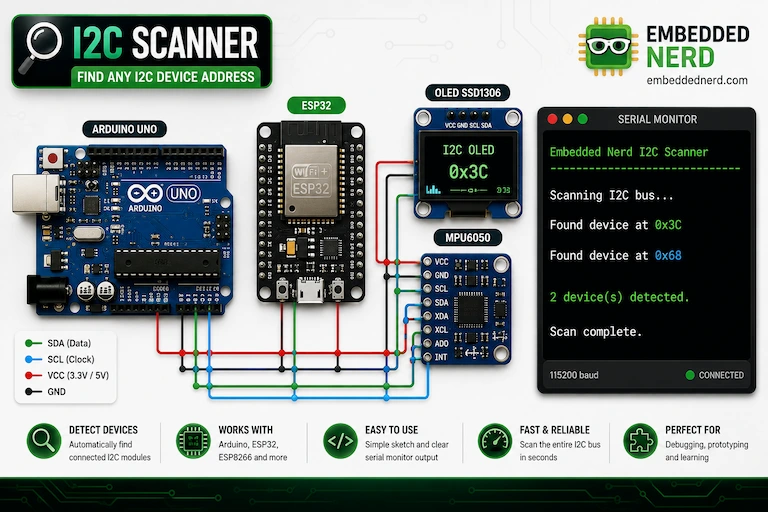
For a real hardware check, use an I2C scanner to see which addresses actually respond on your bus.
See our I2C Scanner Tutorial for a practical Arduino and ESP32 example.
How to Check I2C Compatibility
Use the I2C Compatibility Checker to select all devices you want to connect to the same bus.
The checker compares the available addresses and attempts to find a configuration in which every selected device has a unique address.
For example:
| Device | Address |
|---|---|
| BMA400 | 0x14 |
| MPU6050 | 0x68 |
| SSD1306 OLED | 0x3C |
No address conflict exists.
Example: MPU6050 + DS3231
The MPU6050 and DS3231 commonly use 0x68.
If both are configured at 0x68, they cannot normally communicate independently on the same I2C bus.
If the MPU6050 module supports its alternative address, it can be configured at 0x69, leaving:
| Device | Address |
|---|---|
| DS3231 | 0x68 |
| MPU6050 | 0x69 |
The exact address configuration depends on the breakout board.
Important: Address Compatibility Is Not Electrical Compatibility
A successful result from this tool means that the selected devices have a possible I2C address configuration without an address collision.
It does not guarantee that the modules are electrically compatible.
Before building a circuit, also verify:
- Supply voltage
- Logic voltage
- SDA/SCL pull-up resistors
- I2C bus speed
- Bus capacitance
- Level shifting requirements
- Breakout-board-specific wiring
Always check the manufacturer’s datasheet and the documentation for the exact breakout board you are using.
What If Two Devices Have the Same Address?
If two devices have the same fixed address and cannot be configured differently, they cannot normally share the same I2C bus directly.
Possible solutions include:
- Changing one device’s address
- Using another I2C bus
- Using an I2C multiplexer such as the TCA9548A
- Using a different module with a configurable address
I2C Scanner
The address database tells you which addresses a device may use.
An I2C scanner tells you which addresses are actually responding on your hardware.
For Arduino and ESP32 projects, see our I2C Scanner Tutorial.
Related Embedded Nerd Tutorials
- I2C Scanner Tutorial
- MPU6050 Arduino Guide
- MPU6050 Calibration Guide
- BMA400 ESP32 Tutorial
- ESP32 OLED Tutorial
Disclaimer
I2C addresses can vary between IC variants, breakout boards and hardware configurations. This tool is intended as a practical reference and should not replace the manufacturer’s datasheet or the documentation for your specific module.