Displays for Arduino, ESP32 & Raspberry Pi
Products
 Recommended
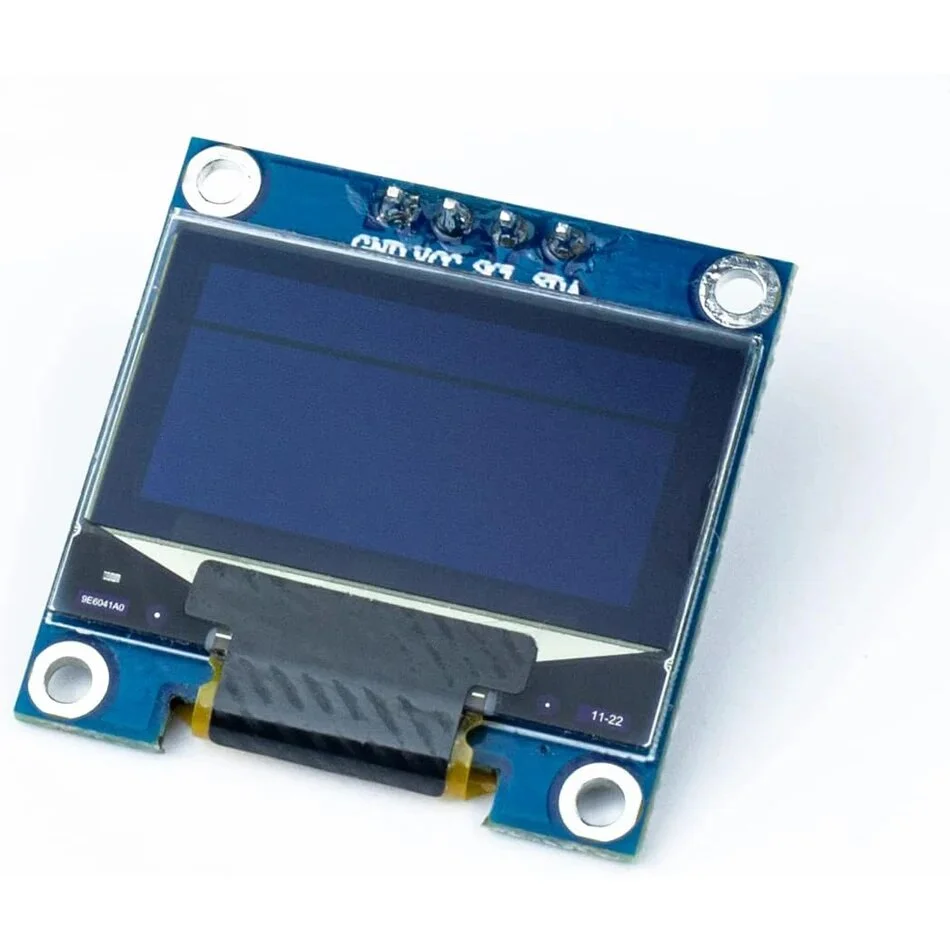
SSD1306 OLED Display
0.96-inch SSD1306 OLED display module with I2C interface for Arduino, ESP32 and Raspberry Pi projects.
Types of Displays
Displays provide a visual interface for electronics and embedded systems projects, allowing devices to show text, graphics, sensor readings, menus and other information.
Common display types include:
- LCD displays
- OLED displays
- TFT displays
- E-paper displays
- Character displays
- Graphic displays
LCD Displays
LCD displays are a popular choice for showing text, numbers and basic graphics in electronics projects.
Common options include:
- 16×2 LCD
- 20×4 LCD
- I2C LCD
- Character LCD
- Graphic LCD
LCD displays are commonly used in Arduino projects, control panels, measurement devices and DIY electronics.
OLED Displays
OLED displays provide high contrast and do not require a backlight, making them useful for compact projects and devices where clear text and graphics are required.
Popular OLED displays include:
- 0.96-inch OLED
- 1.3-inch OLED
- I2C OLED
- SPI OLED
OLED displays are commonly used with Arduino and ESP32 projects.
TFT Displays
TFT displays support colour graphics and are suitable for projects that require more advanced visual interfaces.
They can be used for:
- Graphical user interfaces
- Touch interfaces
- Data dashboards
- Control panels
- Portable devices
- IoT projects
Many TFT displays use SPI for communication, while larger displays may use other interfaces.
E-Paper Displays
E-paper displays are designed for applications where low power consumption and long-lasting static images are important.
They are commonly used for:
- Electronic labels
- Information displays
- IoT devices
- Status panels
- Low-power projects
E-paper displays are particularly useful for battery-powered applications because they consume very little power when the displayed image remains unchanged.
Display Interfaces
Different displays use different communication interfaces depending on their design and capabilities.
Common interfaces include:
- I2C
- SPI
- Parallel
- UART
- HDMI
I2C displays are particularly convenient when only a small number of connections are required, while SPI is commonly used for displays that need faster data transfer.
Compatible Development Boards
Displays can be connected to a wide range of development boards, including:
- Arduino
- ESP32
- Raspberry Pi
- Raspberry Pi Pico
- ESP8266
Before choosing a display, check its operating voltage, communication interface, resolution and available software libraries.
Choosing a Display
The best display depends on the requirements of your project.
When choosing a display, consider:
- Display technology
- Screen size
- Resolution
- Colour support
- Touch support
- Communication interface
- Operating voltage
- Power consumption
- Library and software support
For simple text-based projects, an LCD can be a practical choice. OLED displays are well suited to compact interfaces, while TFT displays are better for colour graphics and touch interfaces. E-paper is a strong option for low-power applications with mostly static content.
Frequently Asked Questions
What displays can be used with Arduino?
Arduino boards can work with many LCD, OLED and TFT displays. The exact compatibility depends on the display interface, operating voltage and available libraries.
Can displays be used with ESP32?
Yes. ESP32 supports many LCD, OLED and TFT displays, particularly those using I2C and SPI interfaces. Its higher processing capability also makes it suitable for graphical and touchscreen interfaces.
Can Raspberry Pi use these displays?
Yes. Raspberry Pi boards can use displays through interfaces such as HDMI, SPI and I2C, depending on the display type. Some displays are designed specifically for Raspberry Pi.
What is the difference between LCD and OLED?
LCD displays use a backlight to illuminate the screen, while OLED pixels produce their own light. OLED displays can therefore provide deeper blacks and high contrast, while LCDs are often available in a wider range of sizes and configurations.
Which display is best for a low-power project?
E-paper displays are particularly suitable for low-power applications where the screen content does not need to change frequently. OLED displays can also be useful for small interfaces, depending on the application.
Do all displays support touch?
No. Touch functionality depends on the display. Some TFT and other graphical displays include an integrated touchscreen, while many LCD and OLED displays do not.